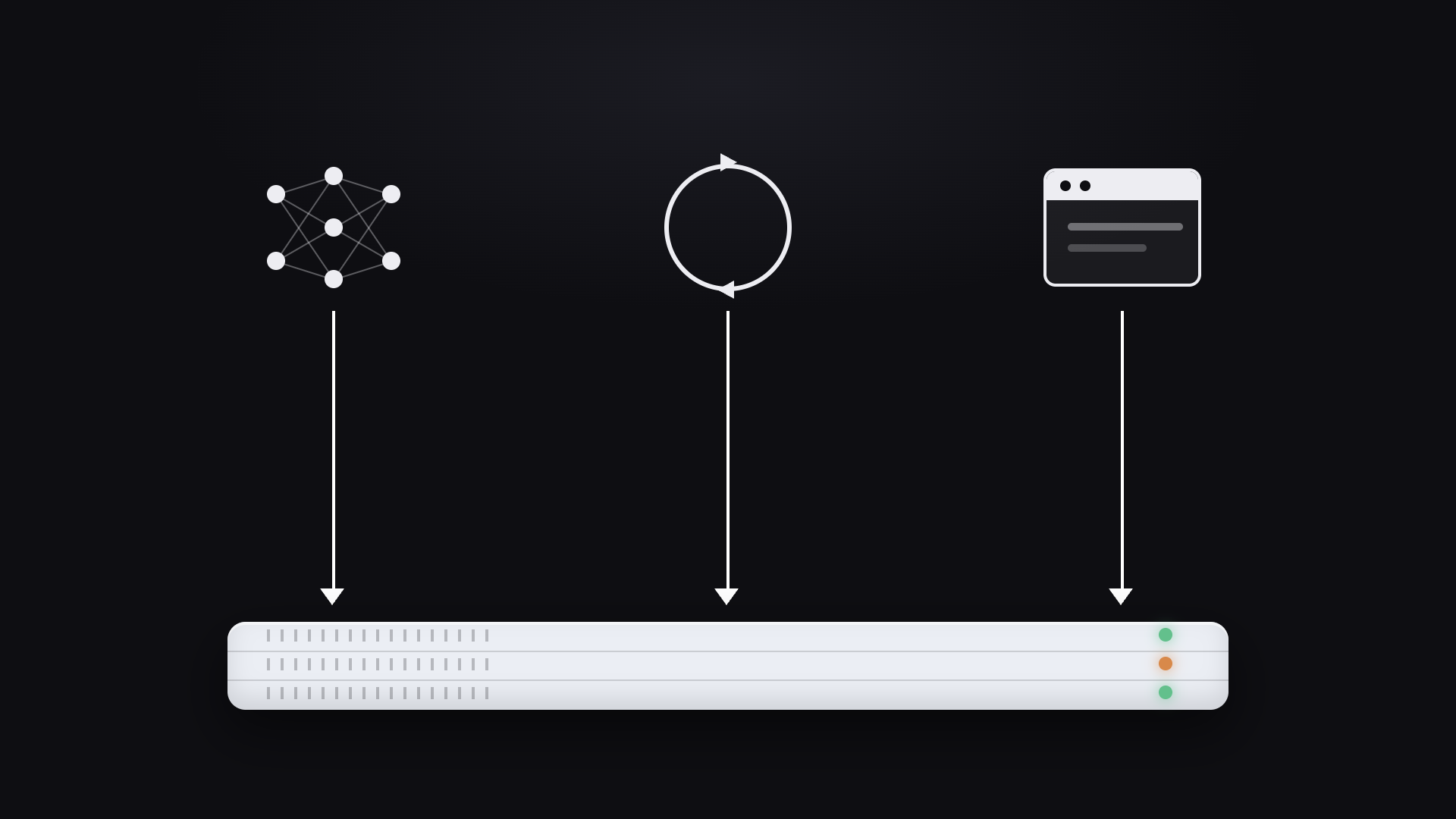
A production AI system is more than a model sitting behind an endpoint. It’s the data preparation, training jobs, evaluations, model artifacts, the service that exposes the model, the dashboards your team monitors, and increasingly, the agents built on top of all of it.
In many organizations, those pieces live in different systems joined by custom integrations. It works, but those handoffs are often where reproducibility gets harder, security grows more complicated, and infrastructure costs start to creep up.
Union takes a different approach: instead of treating serving as a separate layer, it keeps the entire AI lifecycle on one platform. That’s where apps come in. An app is simply a long-running service: a model endpoint, an AI agent, a web API, a dashboard or a webhook. Because apps use the same primitives, container images and infrastructure as the pipelines that power them, serving becomes part of the same workflow instead of a separate system. And it isn’t limited to models: any persistent service can run as an app, right alongside the batch and orchestration work that supports it.
The rest of this post walks through what you can serve, how serving powers agents and models, how it connects to the rest of your stack, and how it runs on infrastructure you control.
One platform, two shapes of work
On Union, every workload falls into one of two execution models. A task is finite: it executes, produces a result and terminates. That’s what powers data processing pipelines, feature engineering, model training and evaluation. Because tasks are part of Flyte’s execution engine, their inputs, outputs, lineage, caching and retries are all managed automatically.
An app by contrast is long-lived. Instead of running to completion, it stays alive, and responds to requests for as long as it’s needed.
But both tasks and apps are built from the same primitives. Tasks are configured with a `TaskEnvironment`, while apps use an `AppEnvironment`. In either case, you define the workload with the same `flyte.Image`, `flyte.Resources` and `flyte.Secret` objects.
That means the training job that produces a model, the inference service that serves it, and the dashboard that monitors it are all configured the same way. You don’t need a separate deployment model just because the execution pattern changes.
%20(1).png)
What you can serve with apps
If it binds a port, accepts requests and stays running, it can be deployed as an app.
That definition is intentionally broad. In practice, apps cover most of what sits in front of an AI system:
- Model inference servers: vLLM and SGLang.
- Agent-powered applications: chat interfaces, research agents and tool-using applications where the app hosts the agent loop and serves requests.
- Web APIs and microservices: FastAPI, Flask or a plain Python server.
- Interactive dashboards and data apps: Streamlit and Gradio for internal tools and demos.
- Webhooks and event receivers: Flyte SDK has a pre-built `FlyteWebhookAppEnvironment` app for control-plane events.
The simplest example is a FastAPI service:
That command packages your code, builds a container image if needed, deploys the app, and returns an HTTPS URL.
What’s important is that the deployment model stays the same regardless of what the application does. A FastAPI service, a Streamlit dashboard, a webhook receiver and an AI agent are all deployed and managed in exactly the same way.
Agents are a good example. An agent is often treated as something special, but from the platform’s perspective it’s just another long-running service. The voice customer-service agent tutorial deploys a voice agent that transcribes audio, runs agent logic, and streams spoken responses back to the caller. It happens to use models internally, but operationally it’s no different from any other app.

Model serving: running the best engines
Model inference is one category of app, but it’s different from building a generic web service. Flyte provides purpose-built app environments for common inference engines, distributed as plugins. With `VLLMAppEnvironment` from `flyteplugins.vllm` (and `SGLangAppEnvironment` from `flyteplugins.sglang`), you declare the model you want to serve, and Flyte deploys the upstream engine with an OpenAI-compatible API already in place.
The inference engine is still the upstream open-source project with its APIs and performance characteristics unchanged. Union sits one layer above handling the operational concerns around running those engines in production.
That includes scheduling the workload onto the right hardware, managing authentication, scaling the service, and deploying it on infrastructure you control.
Configuration is passed through as well. `extra_args` maps directly to the underlying vLLM server so any flag supported by vLLM is available here. You keep the flexibility of the upstream inference engine while using the same operational environment as the rest of your workloads.
From training to inference, without a handoff
Here’s where keeping training and serving on one platform pays off. An app can consume a task’s output directly, so a serving endpoint or any app can load whatever artifact the latest run of a pipeline produced:
When the app starts, Flyte resolves the output of `ml_pipeline.pipeline` for the version you specify, downloads it, and makes it available through the `MODEL_PATH` environment variable. Your startup hook loads the model once and it stays in memory for the lifetime of the process.
Notice what’s missing: there’s no model registry lookup, no manually managed object-store path, and no deployment script passing artifact locations around. The model being served is tied directly to the workflow that produced it because both training and serving are part of the same platform.
Tasks and apps can also reference one another directly.
- Task to app: A task can call an app over HTTP. By `declaring depends_on=[app_env]`, Flyte deploys the service alongside the task and injects the endpoint URL into `app_env.endpoint`. Multiple task pods can share a single inference service instead of each loading its own copy of the model.
- App to task: An app can launch workflows through the Flyte SDK, allowing a webhook, dashboard or AI agent to trigger durable, tracked execution on the cluster.
- App to app: Apps can also depend on other apps using `AppEndpoint`, making it possible to compose services (a router in front of several model backends, for example) and deploy them together.
.png)
Agents and small language models (SLMs)
Agents are a natural fit for the app-and-task model. The agent itself is a long-running service: it receives a request, reasons over it, invokes tools, and returns a response. That execution loop lives inside an app.
.png)
The tools are where tasks come in. Instead of treating every tool call as an in-process function, an agent can dispatch durable Flyte tasks for work that’s expensive or long-running. Each invocation becomes a tracked execution with retries, caching, logs and lineage. The agent stays responsive while the platform takes care of executing the work reliably.
The code mode analytics agent tutorial follows this pattern. A chat app accepts a question, the model generates Python, and the database query executes as a Flyte task. Lightweight operations like formatting the response remain in-process, while the expensive work runs as a durable execution on the cluster.

This architecture also pairs well with small language models. Agent loops make frequent, latency-sensitive model calls, so a specialized model running close to the application is often a better fit than sending every request to a large hosted model. Self-hosting an SLM reduces per-request cost, keeps data within your own infrastructure, and gives you control over the model’s lifecycle.
On Union, those pieces fit together naturally.
- Fine-tune a small model as a training workflow. For example, the RL for LLMs with GRPO and LoRA tutorial shows a Flyte-based workflow for training and merging a LoRA adapter, using vLLM during the training loop and producing a model artifact that can be served later.
- Serve it with a `VLLMAppEnvironment`, scaled to zero when idle so an unused SLM costs nothing.
- Point your agent at it. The agent app calls your own vLLM endpoint sitting right beside it, keeping both the model and the data it processes on your infrastructure while dropping the per-call cost of a hosted frontier API.
Secure by design
For most teams, serving is as much a security problem as it is a deployment problem. Where does the service run? Who can reach it? Where do model weights and request data go? Those questions become especially important when you’re deploying internal models or working with sensitive data.
Union is designed so those answers don’t change just because you’re serving an application instead of running a batch workload. Apps run in your own environment, whether that’s a self-managed Kubernetes cluster or infrastructure in your own cloud account, using the same platform your pipelines already run on.
That means inference happens where your data already lives. Apps run as pods in your cluster, so model weights, request payloads and inference traffic stay within your environment rather than flowing through a third-party API. If you’re hosting an open-source model with `VLLMAppEnvironment`, the model server runs as one of those pods too, so weights and traffic never leave your environment.
The same philosophy extends to access control. Apps are exposed over HTTPS and authentication is enabled by default. Making an endpoint public requires an explicit `requires_auth=False`. You can also configure a platform-wide guardrail to disable unauthenticated access to apps, preventing users from accidentally deploying “public” apps.
Communication between workloads doesn’t need to leave the cluster either. Every app has both a public endpoint and an internal service address. Tasks and other apps use the internal endpoint automatically, allowing pipelines, agents and model services to communicate without exposing those services to the public internet. This makes internal-only apps a natural pattern. A model server or tool service can be reachable by your pipelines through its cluster-local address while remaining inaccessible from outside the cluster. This is especially useful when an app is intended to serve other workloads rather than end users.
The operational model stays consistent as well. Secrets are injected through `flyte.Secret`, just as they are for tasks, and remain scoped to the appropriate project and domain. Apps inherit the same project and domain boundaries as the rest of your workloads, so development, staging and production remain isolated without introducing a separate security model for serving.
Serving infrastructure: scaling, cost and deployment
A few operational behaviors are worth understanding before deploying apps in production.
Autoscaling is driven by traffic rather than CPU or memory utilization. The metric is either concurrent requests per replica (`Scaling.Concurrency`) or requests per second per replica (`Scaling.RequestRate`). There is no CPU or memory target. You set the metric and the replica range, and Union adds replicas when traffic crosses the target:
If you’re used to Kubernetes’ CPU-based autoscaling, this is a different mental model. How hard a replica is working is not a signal. A request that pins a GPU at 100% scales nothing out, because the autoscaler counts requests in flight, not utilization. That puts the weight on the target you pick. It has to encode how many concurrent requests one replica can actually serve, which for a GPU model server is often a small number.
Scale-to-zero is enabled by default. Unless configured otherwise, an app scales between zero and one replica, which means an idle service doesn’t continue consuming GPU resources. For model serving, especially when the application is backed by expensive accelerators, that can make the difference between an endpoint that’s practical to keep deployed and one that isn’t.
The trade-off of course is cold starts. Loading a large model onto a GPU takes time. Flyte provides a couple of ways to reduce that latency: `stream_model=True` streams weights directly from object storage into GPU memory, while `flyte prefetch hf-model` stages models into your own object store ahead of deployment, with optional support for tensor-parallel sharding. Neither eliminates startup time entirely, but both reduce the amount of work required before the application can begin serving requests. Alternatively, keeping a minimum of one replica avoids cold starts altogether, at the cost of a continuously running pod. This is a latency-versus-cost trade-off you set per workload.
Deployment is intentionally a two-step process. During development, `flyte serve` builds, deploys, and activates an app in one command. Production deployments use `flyte deploy`, which creates a versioned, immutable deployment without routing traffic to it. Activation happens separately with `flyte update app --activate`, making promotion an explicit, auditable operation. Rolling back is simply a matter of reactivating an earlier deployment rather than rebuilding the application.
Under the hood, apps are Kubernetes workloads. They’re long-lived pods that run alongside Flyte task pods. See autoscaling apps for the scaling knobs in detail.
How apps are meant to be built
Serving on Union has a particular shape and its constraints are mostly the flip side of choices that make apps cheap to scale and safe to run. Building with the model rather than against it is straightforward once the shape is clear.
Apps are stateless because replicas are interchangeable: Process memory is local to a single replica and is neither shared nor preserved. Keep sessions and shared state in an external store. That interchangeability is what lets Union add and remove replicas freely, scale horizontally, and scale to zero without coordination.
Requests are request-scoped because long work belongs in a task. An app is built to handle short requests, not to hold work open. Anything long-running belongs in a task. Because tasks and apps share one platform, moving that work is a small change.
The full-stack advantage
The payoff isn’t a better endpoint. It’s the integration work that no longer exists. When serving lives on the same platform as the pipelines that feed it, the handoffs that used to erode reproducibility, complicate security, and inflate cost simply aren’t there. A model is served by the exact run that produced it. An agent’s expensive tool calls become tracked executions. An internal model server never leaves the cluster. None of it needs a second system stitched in to make it work.
That’s what building on Union looks like: one platform from the data that enters your system to the services your users reach, running on infrastructure you own.
Where to start
- Introducing apps: The mental model and the task-versus-app distinction.
- Native app integrations: FastAPI, Streamlit, vLLM, SGLang and webhooks.
- Autoscaling apps: Scaling metrics, scale-to-zero and warm minimums.
- Agent tutorials: Research agents, LangGraph agent, MLE bot, code mode analytics agent.
- Worked serving example: Voice customer-service agent.