
Until today, the first step to trying Union was booking a call with us. For a lot of engineers, that's not their favorite part of their day.
I've watched this happen from the PM seat more times than I'd like. Prospective users have told us, "We love Flyte, but if we can't quickly test the paid platform, it's hard to justify taking the next step." They’re not wrong. Developers expect to paste an email, run a command, and see something work; Instead , we asked them for a meeting.
Starting today, that gate is gone. You can sign up for Union.ai on AWS Marketplace, connect an AWS cluster, run production workloads, and start with a 30 day free trial without calling us.
Farhan and I are writing this together because the interesting part of this launch isn't the sign-up page. It's what we had to change underneath it so that a user could install Union in their own cloud without an engineer on the other end of a Zoom call. This post covers why we did it, what made it hard, and the decisions we made along the way.
The business problem: our front door was a calendar invite
Every deployment used to follow the same path: a sales conversation (via a direct reach out or ‘Chat with an Engineer’ CTA button on our website), then a manually provisioned tenant, and an engineer-led install. Realistically, this was at least several days of back-and-forth before seeing a single workflow run.
That model works for enterprise procurement. It doesn't work for the ML engineer who heard about Union from a peer, or the Flyte user who has outgrown running it themselves and wants to see what's on the other side. In the last 30 days alone, developers at more than 1,600 companies that fit our customer profile were actively working with Flyte. Nearly 300 had already deployed it themselves. Only 33 were Union customers. The interest was there; the path from "running Flyte" to "trying Union" wasn't.
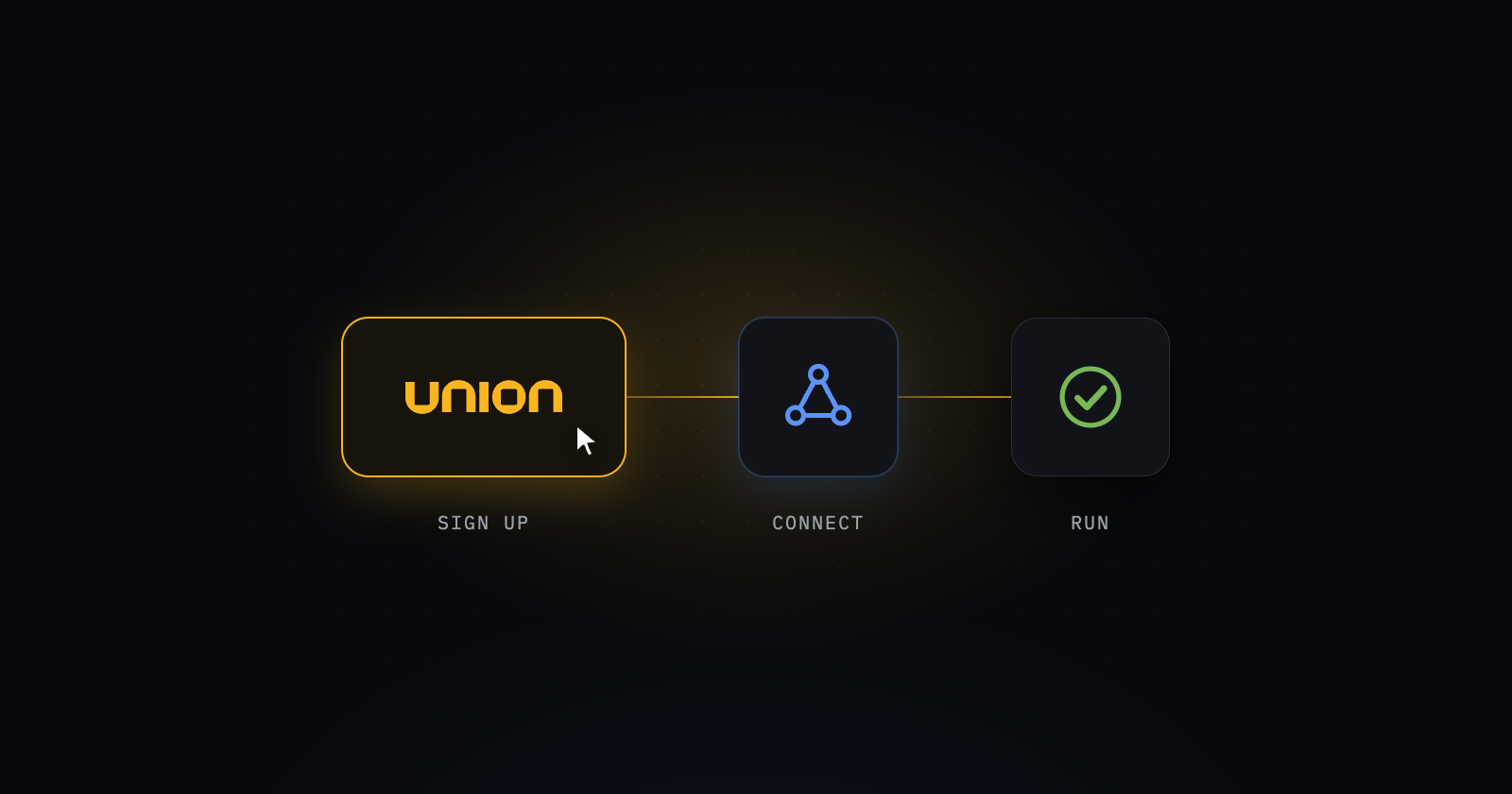
Most modern dev tools, especially in the AI era we’re in, all share one pattern: sign up, set some config., run a command, see if it works. We wanted that, with one non-negotiable difference: Union runs in your cloud account. Your data, code, and compute never leave your perimeter.
That difference is the whole product. It's also exactly what made self-serve hard.
We landed on a few core goals of the design:
- Cut user friction in order of how much it hurts. Our three hurdles — sign up, connect a cluster, and payment — payment is the biggest conversion killer, so we made it last but also easiest to solve quicker. Buying through AWS Marketplace means billing rides the AWS account a user already has: no new vendor, no card form.
- Simplify our Control Plane and Data Plane relationship. With Kubernetes required for Union to operate, in the past this meant an engineer was more hands on with the initial control and data plane setup for customers. Introducing Self-serve gave us the opportunity to simplify it for both us and our customers.
- Keep a human path for people who want one. We introduced it in product chat so that anyone at Union can be reached by a customer whenever and for whatever they need. We also created internal insights for our AE and Customer Solutions teams to utilize for outreach and ensure customer success.
The technical problem: Two brains
Union splits into a control plane we host (for Self-Managed and BYOC customers) and a data plane that runs in the user’s cloud account. That split is why a customer’s data never leaves their environment. It's also why installation was historically the hard part: the failure modes are specific to a customer’s account, and a runbook can't read a user’s error messages.
The deeper issue was something I referred to as "two brains." A cluster's configuration effectively lived in two places:
- What the control plane believed — which, honestly, was not much more than "a cluster with this name checked in at some point."
- What was typed into a Helm values file at install time — the real source of truth for scaling, node pools, and component versions.
Changing anything meant an engineer editing that file and re-running the install, with no way for the control plane to confirm the change landed or was still correct a week later. When an engineer from our side is always the one doing it, you can paper over that. The moment you hand the keys to a stranger with an AWS account, you can't.
So we made an early call that reshaped the whole program: fix the data plane before building the sign-up flow. A polished onboarding UI on top of the old architecture would have been a nicer front door to the same manual process. As our CEO, Ketan Umare, put it in one of our reviews: “If we get people to the door and the data plane isn't figured out, none of it matters.”
What we built
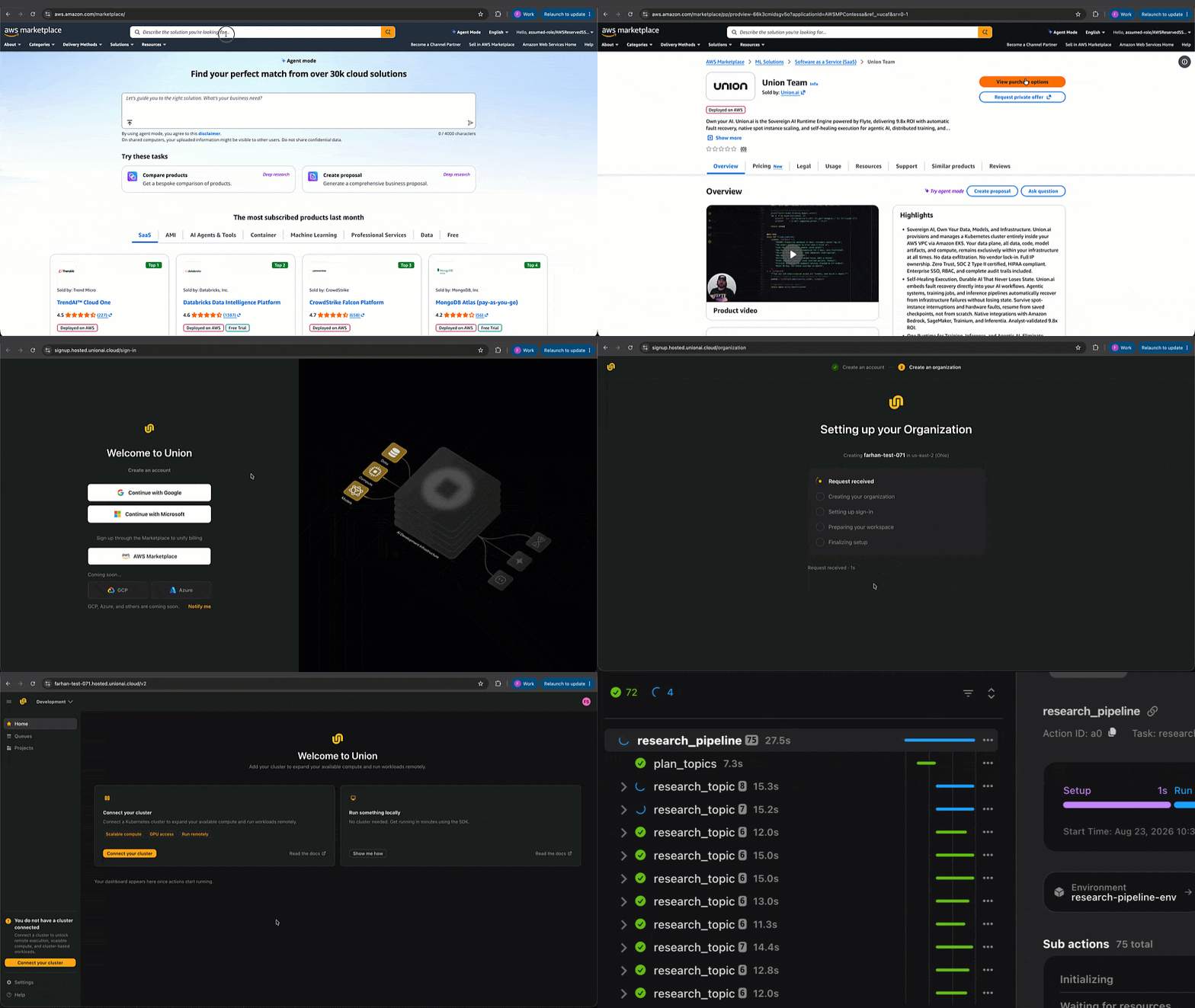
Self-serve turned out to be six problems, not one: onboarding, deployments, cluster management, trials, payment, and team invites. Here's how they come together from the user's side.
- Subscribe on AWS Marketplace. Procurement rides the AWS relationship your org already has. Union charges show up on your AWS bill, and your compute keeps drawing on your existing AWS commitments and discounts.
- Create your org. We have unified org creation and management so teammates on the same company domain are detected and routed to request access (coming soon), preventing multiple duplicate orgs for a single team.
- Connect a cluster with a guided install. The product checks your AWS permissions, tells you what it found, and walks you through deployment. The part you actually do is run 1 command in your terminal.
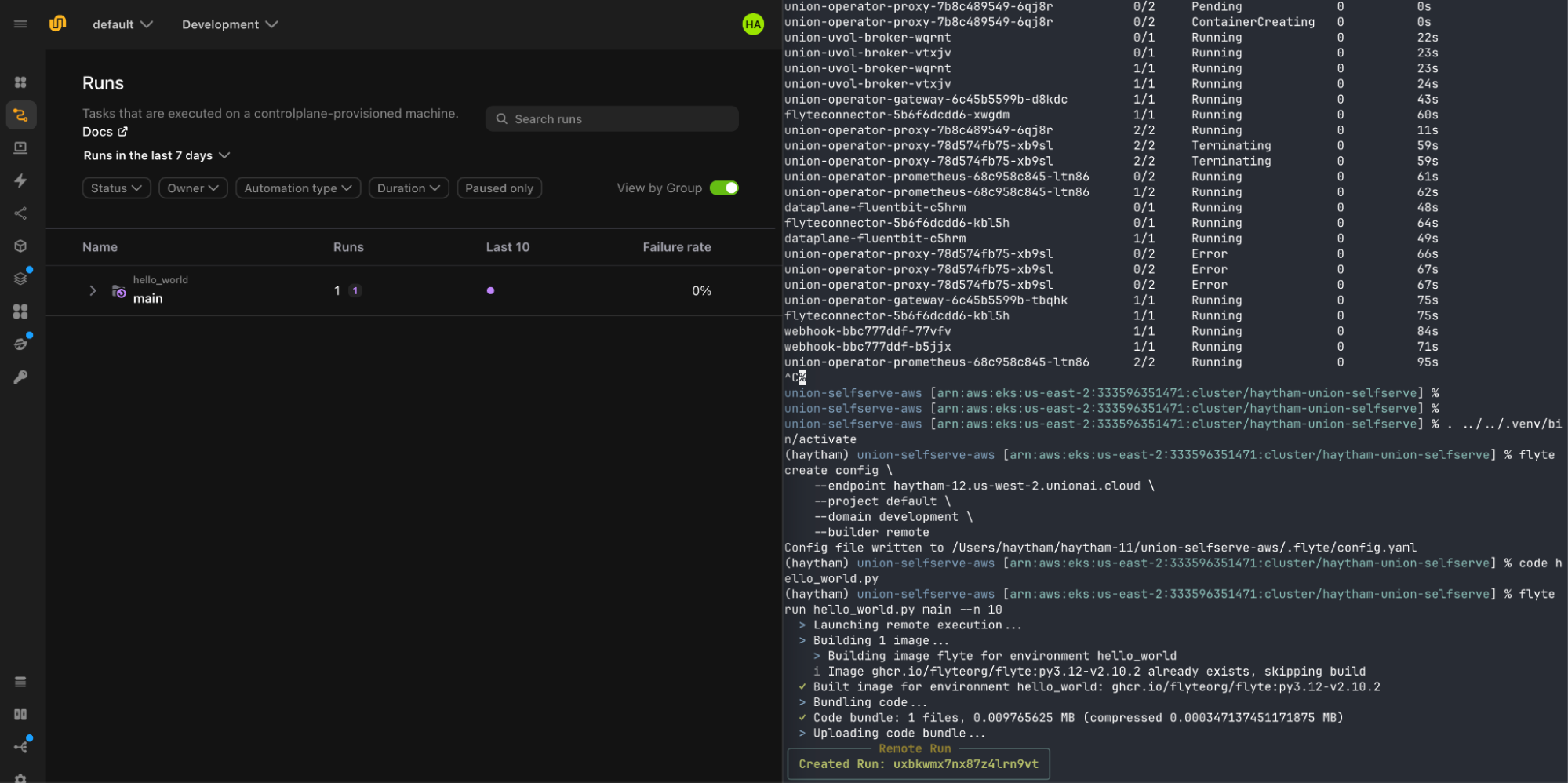
- See a real run. You land on a green run page for a sample workflow, running in your account — not a demo environment.
- Bring your team. Invite teammates on your domain; they come in as admins by default, because during evaluation more people poking at it beats tidy permissions.
- Grow into it. Every signup starts with a 30 day free trial. Pricing is usage-based from there — details at union.ai/pricing.
If you're running Flyte today, nothing changes about Flyte. It's open source and stays that way. What changes is the upgrade path: the same code runs on Union, and getting Union no longer starts with a sales call.
Under the hood
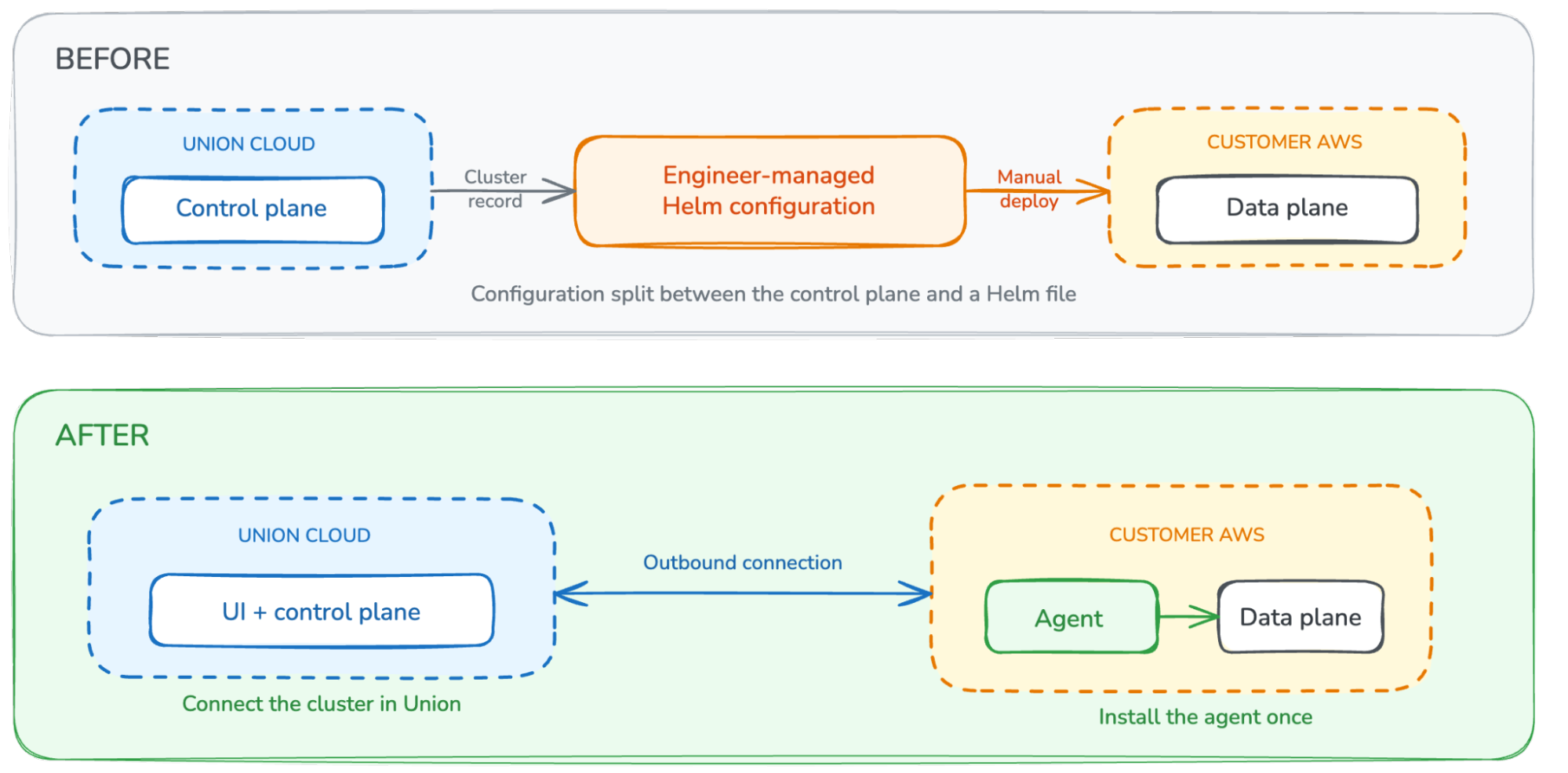
Before self-serve, installing a Union data plane was an engineer-led operation. We registered the cluster, generated a large Helm values file that carried both configuration and credentials, and ran the data plane chart directly against the customer’s Kubernetes cluster. The control plane knew that the cluster existed, but most of the desired state lived in that install-time file. Changing the cluster later meant editing the file and running Helm again, and we had no durable channel for confirming that the running cluster still matched what we intended.
What we changed. We made cluster registration a product workflow and separated the one-time bootstrap from ongoing data plane management. The customer creates or reuses the AWS resources Union needs an EKS cluster, S3 bucket, ECR repository, and separate system and task IAM roles. It enters those resource identifiers in the Union UI. Registration records the cluster and its desired configuration in the control plane; it does not install anything in the customer’s account by itself.
One outbound agent bootstraps the connection. The UI generates a single Helm command that installs the data plane agent in the customer’s cluster. The generated values contain a client certificate and private key, so they are treated as credentials and deleted after use. The agent initiates an outbound connection to Union, the customer does not open an inbound port, expose a Kubernetes endpoint, or hand Union cluster credentials.
Union installs the data plane through that connection. Once the agent connects, the control plane starts the Union operator and the rest of the data plane automatically. The customer only performs the bootstrap step. Installation continues without keeping the browser open or rerunning the full data plane chart. The same channel gives the control plane a way to apply desired configuration and observe the cluster’s health, replacing the old split between control-plane metadata and a hand-maintained Helm file.
Permissions stay in the customer’s AWS account. The setup uses IRSA-backed system and task roles with scoped access to S3, ECR, Secrets Manager, and the resources each workload needs. Union stores the role ARNs and deployment configuration, while the agent runs inside the customer’s cluster and uses those roles there. The exact infrastructure and IAM requirements are documented in Setup from Marketplace.
Same product, different entry point. Self-serve is not a separate “lite” build. It installs the Union operator and data plane into the customer’s cluster, using the same control-plane/data-plane architecture as our larger deployments. Plan limits remain configuration rather than a fork of the product.
Trade-offs we made on purpose
Shipping a v1 meant saying no to things we want. A few worth being upfront about:
- AWS first. One cloud done well beat three done halfway. The install is where self-serve lives or dies, and every cloud has its own failure modes. [VERIFY: what you're willing to say publicly about next clouds — or cut]
- Marketplace before direct sign-up. Buying through AWS Marketplace let us skip building card collection for launch and meant buyers didn't need a new vendor approval. Direct sign-up at union.ai is next. [VERIFY: timing language — "shortly after launch"?]
- Node groups aren't self-serve yet. You can register clusters, group them into pools, and tune queues yourself today. Changing the underlying node groups on a Union-managed data plane (instance types, GPU capacity, scaling ranges) is still a request to us. It's the most-requested capability we hear about, and the data-plane work above is what makes it possible. We're not putting a date on it here.
- A light screen on sign-ups. [VERIFY: is there still a screening gate under the marketplace flow? If so: "We kept a lightweight check on new sign-ups so we can keep the experience fast for everyone" — otherwise cut.]
The one I argued the other side of. I wanted in-product billing and trial management at launch, right next to Marketplace. My worry was a different kind of lock-in. If the only way to pay for Union is AWS Marketplace, then a team whose procurement doesn't run through Marketplace is stuck before they start. "No sales call required" felt like half a promise if we then handed people exactly one way to pay.
We launched with AWS Marketplace only, and for two good reasons. First, simplicity: one billing path means one set of trial states, one conversion flow, and one thing to get right on day one instead of two things to get mostly right. Second, AWS is already a big door. Most of the teams we want to reach already buy through their AWS account, so Marketplace covers them with procurement they don't have to think about. I still think customers should get to choose how they pay, and in-product billing is next on our list and will be coming in about a month. But opening one wide door well beat opening two halfway.
What’s next, and how to try it
The data-plane channel we built for this launch is a foundation, not a finish line. It's what lets us push configuration to a running cluster and confirm it landed, and that unlocks the things on our list: more clouds, in-product billing/payments, resource aware scheduling and cost insights
We'd love to see what you run through it. If something in the install breaks, tell us via the in-app chat. Every failure report makes the next install better.
<div class="button-group is-center"><a class="button" target="_blank" rel="noopener noreferrer" href="https://aws.amazon.com/marketplace/pp/prodview-66k3cmidsgv5o">Get Started on AWS Marketplace</a></div>
Further reading: Flyte 2 GA announcement · union.ai/pricing · Docs: connect a cluster